Content Marketing
MarTech Stack Consolidation: What to Check Before Switching Tools
Email, forms, CRM and reporting live in different tools. Staff spend the day moving between them. Consolidation sounds appealing—until someone asks what happens to old records or whether lead notifications will stop.
MarTech means marketing technology. Before reducing your tool count, map the work, where the data lives and how systems exchange it. Then compare the complete cost of changing.
Step 1: identify the functions you cannot lose
For each system, record its users, essential tasks, data, integrations, contract and owner. Distinguish genuine duplication from tools that look similar but serve different jobs. An infrequently opened system might still power a critical form or synchronization process.
Trace identifiers and fields from ad visits through forms, customer records and sales results. Look for duplicates, delays and integrations without an owner. A single larger platform will not automatically resolve inconsistent field definitions.
Our view is that fewer tools do not necessarily mean less administration. If removing a subscription creates daily spreadsheet work and manual copying, the cost may simply have moved to staff time.
Step 2: test the proposed system with everyday work
Ask for a complete demonstration of lead assignment, permissions, unsubscribe handling and reporting. Record what is native, what depends on extensions and what needs custom development. Include internal maintenance time and supplier charges in the comparison.
If AI is involved, examine the intended data use, access, human review and exception handling. The NIST AI Risk Management Framework can inform the review. Its use does not establish that software meets every security or legal requirement.
Three risks to address before a switch
- Compare subscriptions but ignore migration. Include training, integrations and manual workarounds as well as one-off and ongoing fees.
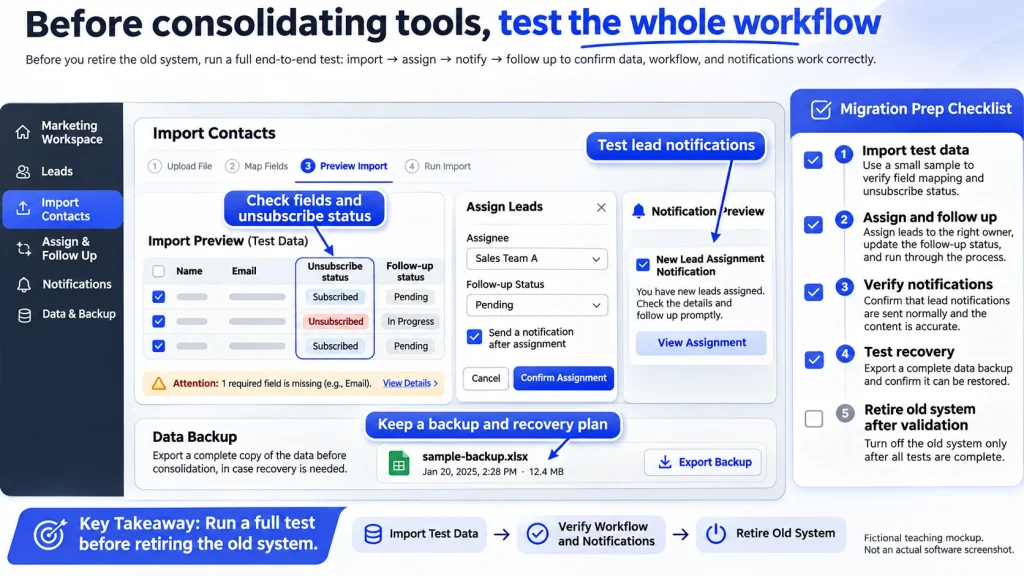
- Turn off the old tool before validating the new one. Test real tasks, data and notifications before a staged transition.
- Assume an export guarantees an easy exit. A file may omit history, fields or a usable structure. Export a sample and test it.
Step 3: validate the data and prepare recovery
Back up before migration. Check field mapping, historical records and permissions with representative samples. Confirm future export rights, usable formats and the cost of exit support. Essential tasks need a documented recovery route so that a change does not lose customer inquiries.
Ask early whether you can take your complete data with you if the service no longer fits. Agreeing on the exit process is easier before the migration depends on it.
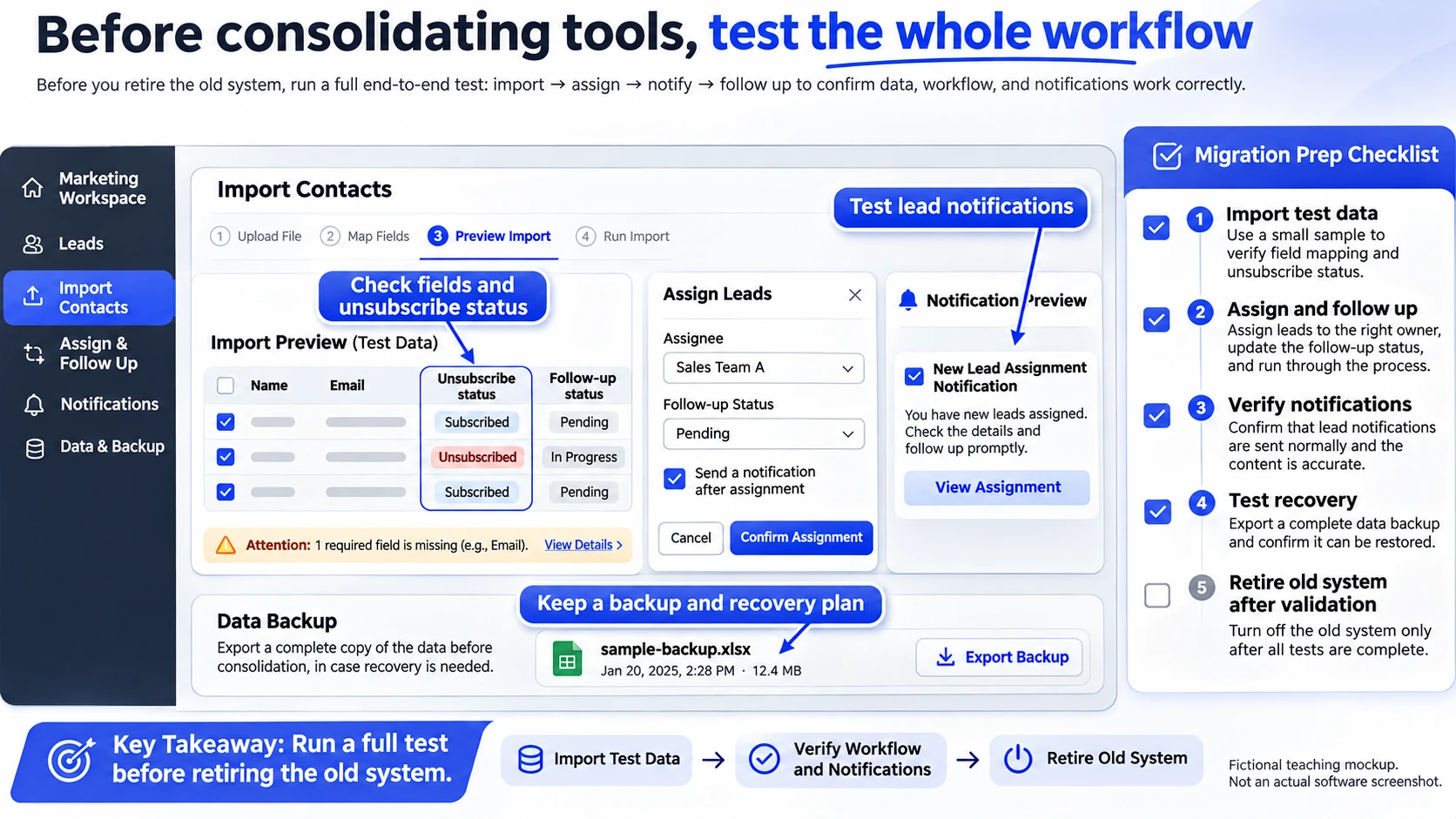
Pilot one workflow before changing everything
Imagine combining email, forms and customer management. Begin with a limited workflow. Check contact fields, unsubscribe status, form notifications and sales assignment. Compare the time needed to complete the same task before and after the change.
Expand only after confirming the new workflow works. Do not retire the old system and discover missing functions afterward. This hypothetical pilot bases consolidation on real tasks, total costs and exit conditions rather than the smallest possible subscription list.
A useful consolidation makes work easier for the team. For help planning the website and lead-management parts of that change, contact AUROO Digital.