Web Development
How to Fix 404 Errors: Diagnosis and Redirect Checklist
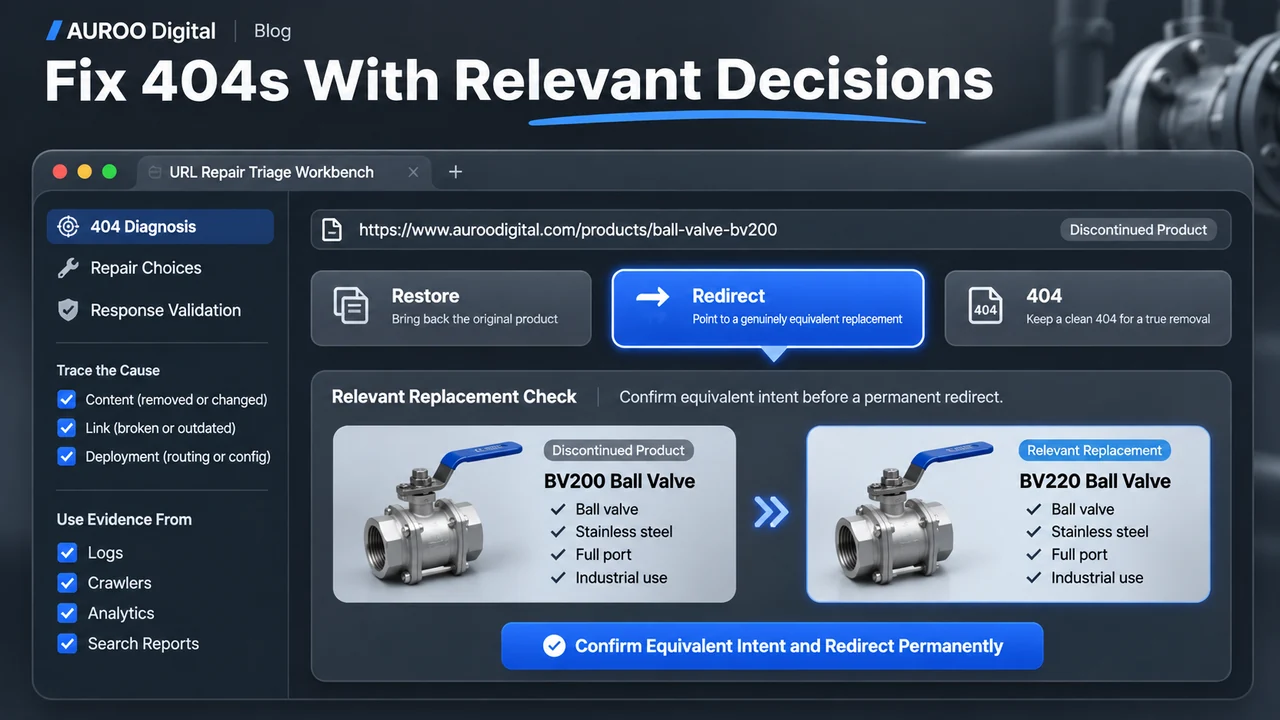
Before fixing a 404, decide whether the page should be restored, redirected to a relevant replacement or remain removed. Prioritize broken URLs with business value or incoming links. Check response codes, destinations and internal links individually instead of sending every missing page to the homepage.
To apply the approach to your website or marketing project, explore AUROO Digital’s SEO services, with scope, deliverables and review methods agreed around your needs.
For website operations, SEO, and development teams, this article explains how to identify error types, prioritize repairs, implement redirects, and establish a reusable acceptance process. The most effective starting point is recovering resources that still have demand, traffic, or commercial value rather than reducing the error count to zero.
1. Establish what the server actually returns
HTTP status codes describe how a server handles a request. A 404 means the requested resource was not found, not that the entire site is down. A 410 indicates removal; 301 and 308 indicate permanent moves; 302 and 307 usually indicate temporary moves; and 5xx indicates server processing failures. Different situations require different responses rather than a single redirect rule for everything.
Distinguish genuine 404s from soft 404s. A genuine 404 returns the corresponding status code; a soft 404 may display “page not found” while returning 200, or redirect many unrelated old pages to the homepage. This makes resource status harder for search engines to understand and prevents users finding the information they wanted.[1]
Check response status, page content, and the final destination together. A friendly error illustration in the browser does not prove the status code is correct; a plugin saying a redirect is configured does not prove there are no loops or multiple hops.
2. Classify causes into content, links, and systems
Content issues include discontinued products, ended campaigns, deleted articles, and accidentally missing resources. First ask whether a page retains value, then decide whether to restore, replace, or remove it. Temporarily out-of-stock products generally should not be deleted outright; retain specifications, expected restocking information, and links to related products.
Link issues include spelling errors, case differences, outdated directories, parameter combinations, and old addresses referenced by external websites. Correct internal links directly; contact sources to update external links that can be changed; map common, valuable old addresses to the correct pages.
System issues include routing rules, deployment environment differences, missing static files, plugin conflicts, CDN caching, and server configuration. If many pages in the same directory return 404 after a release, investigate deployment and routing before adding redirects individually. Fixing the mechanism generating errors is usually more effective than patching its results.
3. Build a diagnostic inventory using multiple sources
First export discovered not-found pages from Search Console, then use a site crawler to scan navigation, body content, pagination, and image resources. Search tools provide a search engine perspective, while crawlers reveal the current internal structure; neither replaces the other.
Add analytics landing pages, advertising destination URLs, server access logs, and important backlinks to identify old URLs still receiving actual visits. Logs help identify junk addresses repeatedly requested by bots, preventing wasted repairs on random paths that never existed.
At minimum, record the URL, status code, discovery source, internal referring pages, recent visits, historical conversions, backlinks, business owner, and proposed action. Standardize protocol, hostname, and URL format before deduplication so the same issue is not counted repeatedly.
4. Prioritize fixes by business impact
Consider commercial impact and breadth of exposure together. Restore purchase pages used by live ads, inquiry entry points, and core product pages first; follow with widespread failures caused by navigation or templates. Assess mappings for old articles with relevant backlinks. Random junk URLs without visits or references usually only need the correct response.
| Priority | Typical situation | Action and acceptance |
|---|---|---|
| Immediate action | Paid advertising landing page or checkout entry point unavailable | Pause the broken entry point and restore the destination; check real submissions |
| Priority scheduling | Navigation or templates generate widespread broken links | Fix the source and recrawl the entire site |
| Value-based repair | Old content with historical traffic or relevant backlinks | Assess restoration or an equivalent migration |
| Ongoing monitoring | Random misspellings or scanner requests | Return a genuine 404 and monitor unusual growth |
5. Let resource status determine restoration or redirection
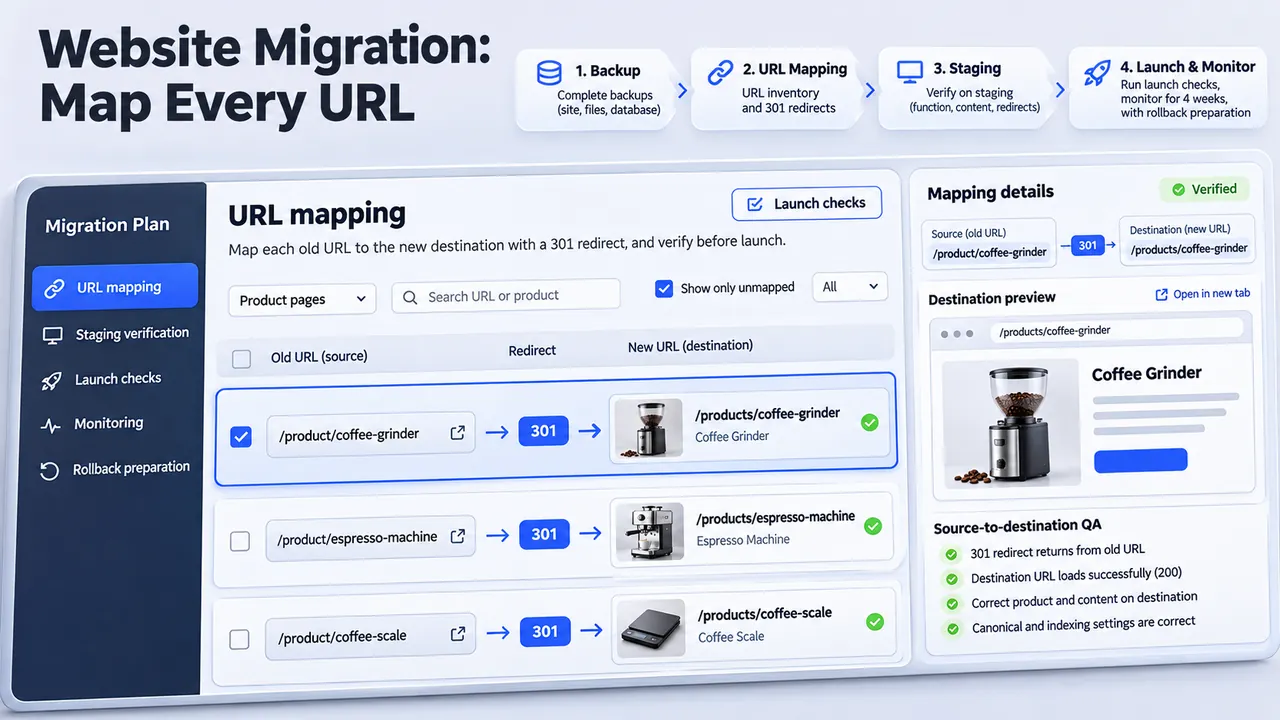
If a page was accidentally deleted and remains valid, prioritize restoring the original URL. If it has permanently moved and equivalent content exists, configure a permanent server-side redirect, ideally directly to the final address. Verify content intent for each migration mapping rather than redirecting all old products to a generic homepage.[2]
If a page is truly retired without a reasonable replacement, retain a genuine 404 or use 410 according to its status, and remove internal references. Making a lower “404 report count” the sole goal encourages incorrect redirects that harm experience. Temporary maintenance or short service failures should not be disguised as permanent deletion either.
Visitors can check spelling, return to the parent level, use site search, or contact the website. Administrators should check routes, files, and deployment records, clearing caches only when they are genuinely stale. Clearing a browser cache cannot restore a page that no longer exists on the server.
6. Custom error pages should help users continue their task
Explain that the current page cannot be found, retain site navigation, and offer search, relevant sections, and contact options. Ecommerce sites can provide category links; B2B sites can direct users to solutions or inquiry channels. Do not replace user choice with an automatic homepage redirect.
Error pages must still return 404. Analytics events can record the error URL, referring page, and subsequent clicks to reveal costly entry points; avoid recording query parameters containing personal information. Assess design success through exits, search use, and subsequent task completion.
7. Post-launch acceptance and ongoing management
Acceptance checks should cover original URL status, final destination relevance, redirect hops, mobile behavior, internal link updates, and sitemap updates. Sample form submissions and purchase paths to verify business functionality beyond simply opening a page. For bulk rules, test nonexistent paths to ensure invalid URLs have not all been changed to 200 responses.
Establish a URL change register: whoever removes or moves content should propose retention and mapping plans. Back up mappings before release and schedule a defined observation window afterward. Search reports take time to update, so verify technical repairs through actual HTTP responses and crawl results before tracking search traffic recovery.
Frequently asked questions
Select a question to view the answer and make a more informed decision.
Do more 404s mean worse rankings?
Counts alone cannot establish that. Normal deletions producing 404s do not automatically cause penalties; focus on losses from unavailable important pages, broken internal links, and incorrect migrations.
Does every discontinued product need a 301?
No. Retain pages for temporarily out-of-stock items; consider redirects for permanently retired products with genuine replacements. Without a replacement, clearly indicate that the resource no longer exists.
How long after repairs will traffic recover?
It depends on crawling, indexing, and changes in demand; no fixed number of days can be promised. Confirm technical correctness first, then assess impression, visit, and conversion trends.
References
[1] Google Search Console explanation of 404 errors