Ecommerce Growth
Ecommerce CMS Guide: Platforms, Setup, and Optimization
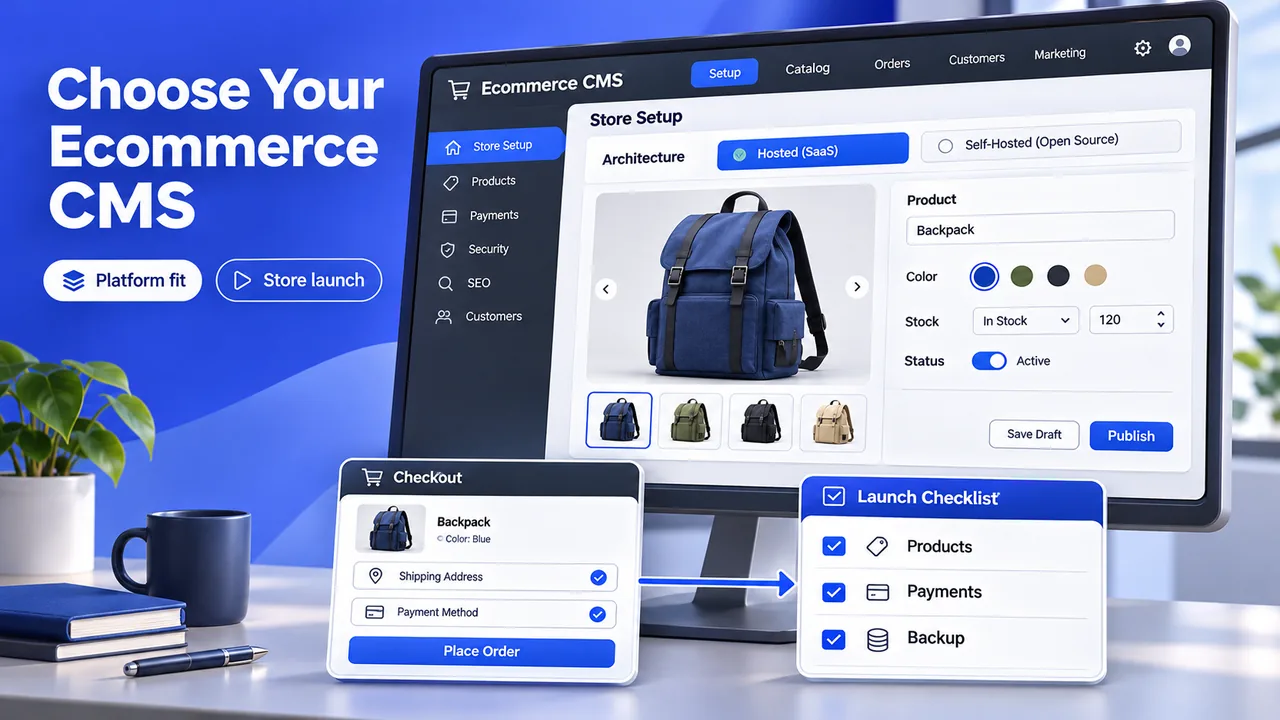
As cross-border ecommerce, standalone stores, and domestic brands adopt increasingly precise operations, most merchants face a central question: how can they build, manage flexibly, and continuously improve their own ecommerce website at low cost, escaping marketplace rules, traffic dependence, and commissions? An ecommerce CMS—Ecommerce Content Management System—is the infrastructure that addresses this need and the essential tool for standalone stores, brand-owned commerce, and direct retail operations.
Many beginners mistakenly see a CMS as simply a website builder. A professional ecommerce CMS is much more: an end-to-end operating system combining store building, product management, content operations, order processing, customer management, marketing conversion, analytics, SEO, and multichannel distribution. Choosing one that fits the business directly determines development costs, operating efficiency, conversion capability, and long-term scalability. It is the foundation for launching a standalone store and growing it at scale.
This complete beginner’s guide reflects the latest 2026 industry trends. It covers definitions, underlying principles, essential functions, categories, platform comparisons, selection criteria, implementation, optimization, advanced operations, and pitfalls. Practical guidance applies to international stores, domestic direct ecommerce, brand stores, and smaller merchants’ owned-channel commerce, helping beginners understand, select, and use an ecommerce CMS to build stable, high-converting, scalable professional stores.
1. Ecommerce CMS Fundamentals: Understanding Its Purpose
1.1 What Is an Ecommerce CMS? The Core Definition
An ecommerce CMS is a content management system specifically designed for transactions: a technical framework for building and operating ecommerce websites. Unlike systems for news or corporate presentation, it centers on four scenarios: product transactions, customer conversion, order fulfillment, and commerce operations. Ordinary CMS platforms publish content and display pages; an ecommerce CMS natively supports the complete transaction cycle, including product listings, carts, checkout and payment, order management, logistics integrations, membership, campaigns, and performance reviews.
According to established definitions in international digital marketing and ecommerce technology, its mission is to lower the barriers to building and operating an ecommerce website, allowing merchants with little or no coding experience to quickly create professional stores that support transactions, ongoing operations, optimization, and expansion. It also enables technical teams to customize deeply, meeting needs throughout development from small merchants to large brands.
1.2 Key Differences Between Ecommerce and Ordinary Website CMS Platforms
Beginners often confuse these systems. Both manage pages, but their positioning, capabilities, and operating logic differ fundamentally, determining whether a store can transact:
Different positioning: An ordinary CMS emphasizes content presentation, news updates, and brand promotion, primarily serving information distribution. An ecommerce CMS emphasizes conversion and store operations, supporting sales, repeat purchases, customer retention, and revenue growth.
Different capabilities: Ordinary systems offer page editing, illustrated content publishing, and category management. Ecommerce systems natively include products, inventory, payment integrations, shipping, fulfillment, membership marketing, coupons, flash sales, group buying, and other transaction functions.
Different data systems: Ordinary CMS analytics cover views, visitors, and page data. Ecommerce CMS platforms track product click-through rates, add-to-cart rates, conversions, average order value, repeat purchase rates, order revenue, customer segments, and other commerce metrics.
Different applications: Ordinary platforms suit corporate sites, news sites, blogs, and presentation pages. Ecommerce platforms support standalone stores, brand shops, owned-channel commerce, international stores, and multichannel distribution.
1.3 Core Business Value: Why Use a Professional Ecommerce CMS?
As marketplace traffic windfalls fade, commissions increase, and rules tighten, CMS-based independent stores have become a key choice for lasting brand operations. Their business value has five dimensions:
First, complete independent control and freedom from platform constraints. Marketplace stores depend on rules, traffic allocation, penalties, and commissions. With a CMS-based independent store, merchants control the domain, data, customers, content, and operating rules, with more control over the customer journey; hosting, commerce and payment providers may still impose fees, terms and operational limits.
Second, very low development and operating costs. No professional development team or costly custom build is required. Mainstream lightweight ecommerce systems offer visual drag-and-drop tools and one-click templates, letting beginners launch quickly while substantially reducing technical and labor costs, ideal for smaller merchants starting lean.
Third, flexible iteration across marketing scenarios. Custom pages, campaigns, and plugin extensions allow merchants to update pages and promotions quickly for holidays, launches, sales, and acquisition, supporting both short-term campaigns and ongoing refinement.
Fourth, native SEO and precise traffic management. Professional systems provide comprehensive SEO tools, including custom links, titles, meta tags, structured data, and sitemaps, helping stores capture Google and Baidu organic traffic over time and compound free acquisition.
Fifth, privately controlled data supporting long-term repeat purchases. Customer, order and operational data control depends on hosting, provider terms, permissions and export capabilities. Dedicated membership and owned-channel systems enable segmentation, targeted marketing, and reactivation to maximize lifetime value, overcoming marketplaces’ limits on customer ownership.
2. Two Main Ecommerce CMS Categories and Their Differences
The first selection step is distinguishing hosted SaaS from self-hosted open-source systems. They differ greatly in accessibility, cost, freedom, scalability, and maintenance complexity, fitting different business sizes and needs. Choosing the wrong category can constrain operations and sharply increase later costs.
2.1 Hosted SaaS Ecommerce CMS
A SaaS CMS is an all-in-one cloud commerce system. The provider handles servers, maintenance, security updates, upgrades, and fixes. Merchants simply register, choose a template, upload products, and build the store, without technical maintenance skills.
Key advantages: No technical barrier, ready to use, stable and secure, maintenance-free, very fast launch, international payment and logistics integrations, and built-in compliance systems; attractive templates and visual tools support rapid deployment.
Key limitations: Closed source limits customization, and advanced changes require paid development. Annual subscriptions create continuing costs. Platform-hosted data offers less private control than open-source systems.
Best for: Small and midsize international sellers, beginners, single-product growth teams, lean ecommerce operations, short-term campaign stores, and startup brands without technical teams.
Representative platforms: Shopify, BigCommerce, Wix Stores, Squarespace Ecommerce
2.2 Self-Hosted Open-Source Ecommerce CMS
These systems provide open source code. Merchants purchase hosting, deploy software, modify code, and customize deeply, maintaining complete control of data, code, and functions. They also handle maintenance, security updates, upgrades, and fixes, developing dedicated features as needed.
Key advantages: Fully open source, extensive freedom, unrestricted features, deep customization, 100% private data control, and a one-time deployment for long-term use without recurring subscription fees, supporting sustained brand expansion.
Key limitations: Requires basic technical skills or outsourced maintenance; launch is more complex; hosting, maintenance, and customization cost extra; merchants must manage security and updates themselves.
Best for: Midsize and large brands, companies with technical teams, committed long-term ecommerce teams, and merchants requiring custom features, private data, and brand independence.
Representative platforms: WordPress+WooCommerce, Magento Open Source, Drupal Commerce, OpenCart
2.3 Modern Headless Ecommerce CMS
A leading 2026 trend, headless commerce separates the frontend presentation layer from backend data in a modular, API-first system. The backend manages products, orders, and customers; independent frontends serve websites, mini programs, apps, social stores, and multiple devices. Its main strengths are exceptional flexibility, fast iteration, and unified multichannel data for precise omnichannel operations. The disadvantages are higher implementation barriers and technical integration requirements, making it most suitable for midsize and large businesses.
3. Essential Professional Ecommerce CMS Features: Selection Criteria
Whatever the category or brand, a commercial-grade system must provide the following complete set of core capabilities. Beginners can use this checklist when comparing options: any missing essential function can obstruct operations and limit conversions.
3.1 Product and Content Management: The Foundation
Support bulk product uploads, categories, tags, specifications, inventory, tiered prices, and scheduled listing or removal. Enable customized content pages, dedicated landing pages, one-click campaign pages, and structured content layouts to support daily merchandising and page iteration. Allow independent product SEO editing for search traffic optimization.
3.2 Complete Transaction Functions: Essential Capabilities
Natively support carts, buy-now actions, checkout, multicurrency payments, coupons, threshold discounts, markdowns, flash sales, timed campaigns, member prices, and bulk price changes. Include automatic order creation, status updates, refunds and after-sales service, notes, and bulk order management, covering browsing, cart, order, payment, and support. International systems must support multiple currencies and tax rates, duty calculation, and overseas logistics.
3.3 Customer and Membership Operations: Repeat Purchases
Support registration, login, profile management, membership levels, points, purchase records, segmentation, and precise customer tags. Offer dedicated discounts, activities, and benefits for different segments to retain an owned audience, reactivate purchases, and increase lifetime value beyond one-time traffic monetization.
3.4 Campaign Tools: Growth
Provide marketing extensions for limited-time offers, tiered discounts, bundles, launch discounts, loyalty rewards, group buying, preorders, and free shipping. Support customized campaign pages, countdowns, and scarcity messaging across holiday promotions, launches, clearance, acquisition, and other growth scenarios.
3.5 SEO and Traffic Optimization: Lasting Growth
Allow custom URLs, titles, meta descriptions, keywords, and image alt text. Generate sitemaps, structured data, and rewritten static-looking URLs. Accelerate pages through static generation and support crawling and indexing. Allow separate landing page SEO settings to capture free organic search traffic and compound growth over time.
3.6 Analytics and Performance Reviews: Precise Operations
A complete commerce dashboard should track visitors, views, product clicks, cart additions, conversions, orders, revenue, and customer growth. It should identify abandonment points, bestsellers, and weak pages, informing page improvements, merchandising, campaigns, and advertising for precise, data-driven operations.
3.7 Security and Compliance: Commercial Requirements
Support SSL encryption, backups, security protection, role-based permissions, and activity logs. International systems must accommodate overseas privacy policies, GDPR, data protection rules, and cross-border payment compliance, reducing regulatory, data breach, and payment risks while protecting stable long-term operations.
4. A Comprehensive Comparison of Leading Ecommerce CMS Platforms in 2026
Based on the latest 2026 reputation, feature completeness, stability, value, and use cases, the following compares six platforms commonly used by beginners. It covers accessibility, costs, strengths, weaknesses, and suitable audiences to support direct selection.
4.1 Shopify: Hosted SaaS and a First Choice for International Commerce
Shopify is a widely used hosted commerce option; assess it against the requirements and costs of the specific business. Ready to use without technical expertise, it offers exceptional stability, numerous attractive templates, comprehensive payment and logistics support, native compatibility with Google and social traffic conversion, mature SEO, and a rich app ecosystem, meeting most small and midsize international sellers’ needs.
Strengths: Easiest onboarding, no maintenance burden, security and stability, strong international compatibility, numerous apps, conversion-friendly templates, and comprehensive support
Limitations: Higher ongoing subscription costs, restricted deep customization, paid advanced apps, and less data autonomy than open-source systems
Best for: International beginners, single-product stores, smaller sellers, lean standalone stores, and merchants seeking rapid launch
4.2 WooCommerce: An Open-Source WordPress Plugin and a Value-Focused Choice
This WordPress-based ecommerce plugin has an enormous global user base. Free and open source, it offers extensive freedom, strong SEO, and a rich plugin ecosystem. Plugins can supply every commerce capability, while a one-time deployment avoids ongoing subscription fees and offers exceptional value.
Strengths: Fully open source, very low costs, unrestricted customization, excellent SEO, strong integration of content and commerce, and a mature ecosystem
Limitations: Basic deployment and maintenance skills required, paid plugins for advanced features, and heavier load pressure for large stores
Best for: Merchants with basic technical skills, value-conscious businesses, content-driven commerce, and smaller brands operating long term
4.3 BigCommerce: Hosted SaaS for Scalable Growth
A premium SaaS CMS designed for high loads, broad catalogs, and large stores. Native support for extensive product ranges, multichannel distribution, B2B wholesale, and headless architectures provides strong stability and scalability for expansion.
Strengths: High stability, large catalogs, native B2B, multichannel sales, comprehensive SEO, and less reliance on plugins
Limitations: Higher pricing, a steeper beginner learning curve, and weaker value for small, simple stores
Best for: Multi-category stores, growing international sellers, combined B2B+B2C businesses, and brands moving to the next stage
4.4 Adobe Commerce: A Commercial Platform for Enterprise Needs
Adobe Commerce is commercially licensed and should be assessed separately from Magento Open Source. For complex stores, verify the proposed edition, deployment model, supported features, license and implementation costs. See Adobe’s backend options and Magento Open Source information.
Strengths: Extremely comprehensive features, high capacity, unlimited customization, enterprise stability, and complex commerce support
Limitations: Very difficult deployment and maintenance, expensive development, professional technical staff required, and wasted resources for small stores
Best for: Large brands, multinational sellers, complex commerce models, and companies with dedicated technical teams
4.5 Wix Stores: Lightweight SaaS for a Simple Beginner Experience
An exceptionally lightweight visual CMS with drag-and-drop, no-code building, attractive simple templates, and minimal learning requirements. It suits fast launches for simple stores, niche products, creative goods, and local service commerce.
Strengths: Very simple operation, no coding, rapid launch, strong visuals, and good value
Limitations: Fewer advanced commerce features, limited scaling, and missing complex marketing options
Best for: Niche products, creative commerce, local services, beginners seeking simplicity, and small owned-channel stores
4.6 OpenCart: Lightweight Open Source for Smaller Merchants
A lightweight open-source CMS with simple architecture, easy deployment, low resource use, and fast performance. It needs no high-specification server and suits smaller independent stores, with an easier learning curve than Magento or WordPress.
Strengths: Lightweight performance, easy deployment, low maintenance burden, free open source, and suitability for small and midsize stores
Limitations: A relatively limited extension ecosystem; advanced marketing requires additional development
Best for: Smaller merchants, lightweight standalone stores, limited budgets, and users prioritizing stable, smooth performance
5. A Standard Process for Building an Ecommerce CMS Store from Scratch
Beginners frequently encounter confused workflows, repeated work, and missing functions. This standardized process connects selection, deployment, construction, content, optimization, launch, and review into an end-to-end workflow that can be followed directly.
5.1 Initial Selection and Positioning: The Essential First Step
Choose the CMS category based on budget, technical skills, store size, and operating horizon. Beginners without technical expertise, merchants seeking fast launch, and international sellers should prioritize SaaS systems such as Shopify or Wix. Merchants with basic technical skills, long-term plans, value priorities, or content-driven commerce should favor WooCommerce. Enterprise complexity and scale favor Magento or BigCommerce. Define store positioning, product categories, target markets, and conversion goals to guide implementation.
5.2 Deploy the Environment and Initialize Settings
For SaaS, register, choose a business plan, connect a domain, enable SSL, and set language, currency, region, taxes, and shipping rules. For open source, purchase hosting, deploy software, configure the environment and database, initialize administrative permissions, and establish security settings. Ensure stable access and compliant transactions.
5.3 Select a Template and Build the Page Framework
Prioritize commerce-specific, conversion-oriented templates over visually impressive designs with slow loading and complicated interactions. Emphasize mobile experience. Build the homepage, listings, product pages, checkout, about page, FAQs, and after-sales policy. Remove redundant sections, unnecessary navigation, and unproductive entry points, focusing on the purchasing path.
5.4 Populate Products and Content Carefully
Establish clear categories and tags, consistent naming, specifications, and image standards. Upload products and detailed content in bulk, then refine copy with concrete selling points and practical use cases. Complete store policies, shipping information, after-sales rules, and privacy terms to meet compliance needs and resolve purchase concerns. Configure individual SEO information for every product to establish a search traffic foundation.
5.5 Test Transactions, Payments, and Shipping
Integrate appropriate payment methods and logistics interfaces. Test the full browsing, cart, ordering, payment, refund, and order lookup journey. Fix failed buttons, incorrect redirects, payment errors, and missing shipping information. International stores should prioritize currency switching, duty calculations, overseas logistics matching, and payment compliance.
5.6 Configure Marketing and Optimize Conversions
Set coupons, threshold discounts, limited-time offers, and member benefits according to operational needs. Build campaign landing pages and product promotion pages, refining CTAs, visual flow, and conversion paths. Simplify forms and checkout to minimize friction and improve overall conversions.
5.7 Optimize Sitewide SEO and Speed
Enable rewritten URLs, generate a sitemap, and submit the site for indexing. Standardize page titles, meta descriptions, keywords, and image alt text. Compress images, enable caching, and reduce unnecessary code to improve loading, mobile experience, and bounce rates, establishing long-term organic traffic.
5.8 Test Across Scenarios and Launch
Before launch, test across devices, browsers, and networks for compatibility, loading, interaction, and transaction bugs. Check complete compliance information, privacy policies, and after-sales terms. Back up the site, enable automatic backups, and launch only after confirming everything is correct.
5.9 Monitor Data and Review Continuously
Connect analytics and build a complete monitoring system. Check traffic, conversions, orders, and customer data daily. Review abandonment points, weak pages, and slow-selling products weekly, continually improving content, product structure, promotions, and SEO for steady performance growth.
6. Precise Ecommerce CMS Operations and Conversion Techniques
Building a site is only the foundation. Continued revenue growth requires careful optimization across five dimensions: pages, products, marketing, SEO, and customers, increasing both traffic and conversions.
6.1 Page Experience: Reduce Abandonment and Improve Retention
Prioritize mobile and ensure every page supports phone browsing and tapping. Remove redundant sections and focus on product presentation, value, and conversion guidance. Improve speed through image compression, caching, and fewer unnecessary animations. Standardize layouts, typography, and colors to improve quality and professionalism and reduce bounces.
6.2 Product Content: Build Interest and Improve Sales
Replace lists of specifications and corporate jargon with copy centered on pain points, use cases, benefits, and genuine results. Include real product photos, contextual images, details, and comparisons for authenticity. Add FAQs, after-sales guarantees, and tutorials to remove concerns and increase product conversions.
6.3 Refined Promotions: Encourage Immediate Conversion
Use CMS tools to schedule recurring campaigns around key dates. Small everyday offers maintain conversions, while major holiday events drive revenue. Offer newcomer benefits, repeat-purchase rewards, clearance for slow stock, and bundles around bestsellers to maximize average order value and total sales.
6.4 Ongoing SEO: Build Free Traffic
Use native SEO capabilities to improve primary and long-tail keyword coverage continuously. Update product pages, campaign pages, and articles regularly to enrich content. Improve internal links and page equity, adapt to crawler requirements, and increase indexing and rankings to compound organic traffic.
6.5 Customer Segmentation: Increase Repeat Purchases and Lifetime Value
Use membership tools to segment new, active, dormant, and high-value customers and develop differentiated strategies. Points redemption, exclusive benefits, holiday rewards, and follow-up campaigns reactivate existing buyers. Build an owned audience, reduce dependence on new traffic, and support stable long-term revenue.
7. Common Beginner Mistakes and a Complete Guide to Avoiding Them
Beginners building and operating CMS stores can fall into mistakes that cause weak traffic, poor conversion, wasted spending, and limited future development. These are the most frequent and damaging pitfalls to avoid.
Mistake 1: Pursuing free open source without considering technical ability. Beginners may choose free systems despite lacking deployment, maintenance, and development skills. Frequent bugs, slow loading, and missing functions prevent normal operations and waste time. Those without technical skills should prioritize hosted SaaS for stability, simplicity, and rapid launch.
Mistake 2: Choosing templates for appearance without assessing conversion fit. Flashy designs can load slowly, work poorly on mobile, and complicate purchasing. They look polished but lose visitors. Prioritize smooth performance, simplicity, clear paths, and transaction focus.
Mistake 3: Building without optimizing and neglecting the live store. Expecting automatic orders after launch ignores page optimization, SEO, marketing, and data review, leaving the site without traffic or conversions. The CMS is a tool; ongoing precise operations drive growth.
Mistake 4: Adding excessive features and plugins. Unnecessary plugins and redundant functions slow loading, bloat code, create conflicts and errors, and reduce stability, harming experience and rankings. Install only what is needed and promptly disable or remove unused features.
Mistake 5: Neglecting mobile compatibility and speed. Most ecommerce traffic is mobile. Focusing solely on desktop leaves distorted, slow, or unresponsive mobile pages and can prevent visitors from completing purchases. This is among the most frequent fatal beginner mistakes.
Mistake 6: Ignoring compliance and security. Missing privacy policies, after-sales terms, international compliance information, security protection, or backups can result in complaints, regulatory risks, data loss, and attacks.
Mistake 7: Confusing presentation pages with transaction pages. Building commerce around corporate presentation principles overemphasizes company introductions and capabilities while neglecting product value, buying processes, and customer concerns. Such pages fail to guide purchases and convert poorly.
8. Long-Term Ecommerce CMS Development and Store Growth Planning
Lasting growth requires a staged progression from initial setup to precise operations and omnichannel expansion, improving steadily in step with the store’s development.
8.1 Beginner Stage: 1-3 Months
Main objective: Complete a standardized build and resolve basic experience and transaction issues. Priorities include domain connection, compliance, templates, products, payment and shipping tests, and basic SEO. Fix all basic bugs, ensure smooth stable operation and a complete purchasing cycle, and learn administration, analytics, and simple campaigns so the store can operate and receive orders normally.
8.2 Operational Refinement: 3-6 Months
Main objective: Improve traffic mix, conversions, and customer retention. Refine pages and product content, build marketing systems, deepen SEO, and segment customers. Use data reviews to fix abandonment points and improve clicks, cart additions, conversions, and repeat purchases. Establish standardized workflows and stable revenue.
8.3 Omnichannel Growth: Beyond 6 Months
Main objective: Scale, expand acquisition across channels, and develop the brand. Add headless architecture, multiple interfaces, multichannel distribution, B2B, and multilingual sites as needed. Develop custom capabilities and differentiated store advantages. Combine content marketing, paid campaigns, organic traffic, and owned-channel operations for omnichannel growth and a stronger ecommerce brand.
Conclusion
An ecommerce CMS is essential infrastructure for independent commerce. Selecting, using, and operating it well allows merchants to escape marketplace constraints, control their business, and grow over time. Beginners need not pursue complex customization or flashy functions. Choose a system suited to business scale and follow four principles: stability first, experience matters most, conversions are central, and data guides iteration. Progressively improve setup, content, transactions, traffic, and repeat purchases.
As ecommerce competition becomes more precise and marketplace traffic windfalls decline, independent sites become increasingly valuable. A professional CMS lets merchants build a dedicated store and accumulate owned traffic, customers, and brand assets. Continuous operational refinement creates differentiated advantages in a competitive market and supports inexpensive, compounding, sustainable long-term growth.