Ecommerce Growth
Shopify vs SHOPLINE vs WordPress: Ecommerce Platform Guide
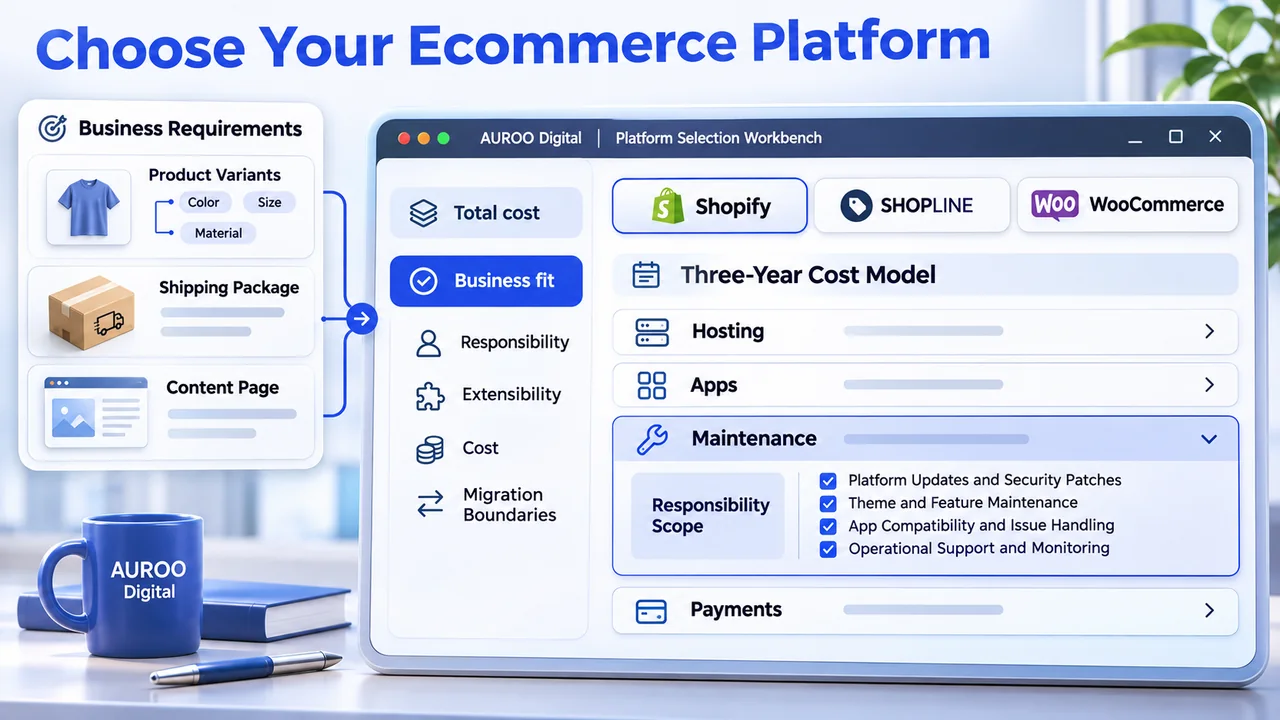
Compare Shopify, SHOPLINE and WordPress/WooCommerce against your markets, payments, fulfilment, content needs and maintenance capacity. Evaluate total cost and migration effort, then test real products and checkout flows. Pricing and features change, so confirm the current plan and regional availability before choosing.
To apply the approach to your website or marketing project, explore AUROO Digital’s website development and landing page optimization, with scope, deliverables and review methods agreed around your needs.
This article compares three common approaches—WordPress with WooCommerce, Shopify, and SHOPLINE—and provides a requirements checklist, a total cost model, and a validation process. Decisions should focus on business fit and team capabilities rather than a single feature screenshot or promotional monthly price.
1. Understand the fundamental differences between self-managed systems and subscription platforms
WordPress is primarily a content management system, usually extended with WooCommerce for ecommerce. The core software is free to use, but hosting, domains, payments, extensions, development, and maintenance must be arranged separately.[1] Merchants have greater technical control while taking on a larger share of responsibility for system integration and operation.
Shopify and SHOPLINE provide ecommerce through a SaaS model. Merchants purchase a platform plan and generally do not manage the underlying servers themselves, but functionality, extension options, and plan restrictions depend on the product and contract. Some complex requirements still need development; SaaS does not mean zero technical costs.
When evaluating “control,” check domains, customer information, orders, theme code, extensions, and platform functionality separately. Exportable data does not mean every system feature can be migrated unchanged; open-source software does not mean third-party plugin licenses and all data connections are unrestricted.
2. Prioritize requirements around your business model
First document what you sell, to whom, how you collect payment, how you ship, and who maintains the system. If you attract organic traffic through content, need unusual product configurations, or have complex workflows, extensibility may matter more. If your products are standard, launch is urgent, and technical resources are limited, standardized operational tools and support may take priority.
For local operations, verify the complete payment, refund, and SF Express or other delivery workflows. For cross-border business, check payment activation, settlement currencies, tax display, address formats, and delivery restrictions market by market. Do not confuse “supports multiple display currencies” with “can collect and settle payments in local currency anywhere.”
Omnichannel retailers must also check online and offline inventory, membership identities, discounts, and return policies. B2B businesses may prioritize company quotations, customer tiers, payment terms, and purchase approvals. Testing real order scenarios reveals platform differences more effectively than comparing feature counts alone.
| Comparison area | WordPress with WooCommerce | The Shopify and SHOPLINE SaaS approach |
|---|---|---|
| System maintenance | Arranged by the merchant or service provider | Underlying infrastructure managed by the platform; confirm the precise scope |
| Feature extensions | Implemented through code and plugins | Depends on the plan, apps, and API capabilities |
| Cost structure | Separate hosting, development, maintenance, and extension costs | Subscriptions, apps, payments, and potential transaction fees |
| Migration costs | Depend on code, plugins, and data structures | Depend on export capabilities and platform dependencies |
3. Three-year total cost of ownership matters more than monthly fees
Total costs should include setup, design, subscriptions, hosting, domains, payment processing, platform transaction fees, apps, maintenance, customer support, integrations, and a migration allowance. Processing fees charged by payment providers differ from platform transaction fees for particular payment methods; Shopify explicitly states that some third-party payments may incur such fees.[2][3]
To avoid misleading comparisons caused by currencies and contract terms, compare three-year cash expenditure consistently, showing the differences between monthly billing, annual billing, and post-promotion pricing. Actual plans from platforms such as SHOPLINE should follow quotations and contracts for the target market; plans from other regions should not be applied directly to your business.[4]
Illustrative calculation: Suppose Plan A has fixed monthly costs of 1000 yuan plus a particular fee of 0.5% of sales, while Plan B costs 1600 yuan per month without that fee. Comparing only these two items, costs are equal at monthly sales of 120000 yuan. These are not actual platform quotations. Maintenance, payments, and taxes must also be included, so this example cannot establish that one platform will always be cheaper over the long term.
4. Verify SEO capabilities through pages and templates
When comparing SEO, check indexability, titles and descriptions, canonical URLs, redirects, structured data, category pages, multilingual support, and filter combinations. A platform offering a feature does not mean themes, apps, and content are configured correctly.
WordPress offers substantial customization, but accumulating plugins can create performance, duplicate markup, and maintenance problems. SaaS platforms reduce some infrastructure maintenance while potentially restricting URL structures or particular page logic. Decisions should reflect actual needs rather than assuming open source always ranks better.
Before launch, use the same sample products to check mobile pages, category navigation, search results pages, and out-of-stock handling. Both SEO and GEO depend on accurate content, accessible pages, and understandable brand information. No platform guarantees organic rankings or AI citations.
5. Test critical transaction paths through a proof of concept
Before choosing a platform, build a trial store with three to five representative products, covering variants, discounts, cross-border delivery, and after-sales scenarios. Complete the entire process from visiting and adding to cart through payment, shipping, and refunds, checking that administrative records and notifications agree.
Test exception paths such as failed payments, insufficient stock, conflicting discounts, and partial refunds. Merchants with existing ERP, CRM, or warehouse systems should confirm synchronization frequency, failure retries, data primary keys, and responsibility for troubleshooting. A list of apps that “can connect” does not prove that the business workflow is operational.
Define acceptance criteria, such as matching order and payment amounts, inventory updates meeting agreed requirements, successful mobile checkout, and exportable customer information. For unmet critical requirements, request explicit alternatives, costs, and responsibilities to avoid relying indefinitely on manual workarounds after launch.
6. Choose according to team capabilities and circumstances
Teams seeking a quick market trial, with few technical staff and standard workflows, can prioritize validating SaaS options. Businesses with substantial content assets, deep customization needs, and maintenance capacity can give particular consideration to WordPress with WooCommerce. Merchants focused on local retail integration should directly verify local payment, logistics, and store coordination rather than relying on brand positioning alone.
Established businesses do not necessarily need to migrate. If limited changes to the existing platform can resolve critical bottlenecks, calculate the cost of staying as well. Rebuilding consumes operational resources and can affect historical URLs, data, and workflows.
7. Manage migration as a separate project
First inventory products, orders, customers, subscriptions, loyalty points, gift cards, content, and historical links. Identify what can migrate directly, what requires conversion, and what needs renewed authorization. Never assume passwords, subscription payments, and specific app data can all migrate intact.
A migration plan should include URL mapping, a data freeze window, incremental order synchronization, payment validation, rollback plans, and launch monitoring. Avoid changing platform, branding, and product structure simultaneously during advertising peaks or major campaigns, as this makes performance changes difficult to explain.
Frequently asked questions
Select a question to view the answer and make a more informed decision.
Does free WordPress mean it is the cheapest option?
No. Software licensing is only part of the cost; development, maintenance, and extensions must also be included.
Which is more suitable: Shopify or SHOPLINE?
Test actual payment, logistics, contract, support, and operational requirements. A single regional label cannot replace an assessment.
Can we launch first and consider migration later?
You can leave room to iterate, but record domain ownership, data export, URL rules, and integration dependencies from day one.
References
[1] WooCommerce official cost structure
[2] Shopify official plans and regional information